


Description
Price: £45.99 - £38.59
(as of Jan 08, 2026 21:48:21 UTC – Details)
Product Description

The video showcases the product in use.The video guides you through product setup.The video compares multiple products.The video shows the product being unpacked. Multi-device Bluetooth keyboard and mouse Merchant video
Model: SKM64-2
Please NOTE Before You Buy:
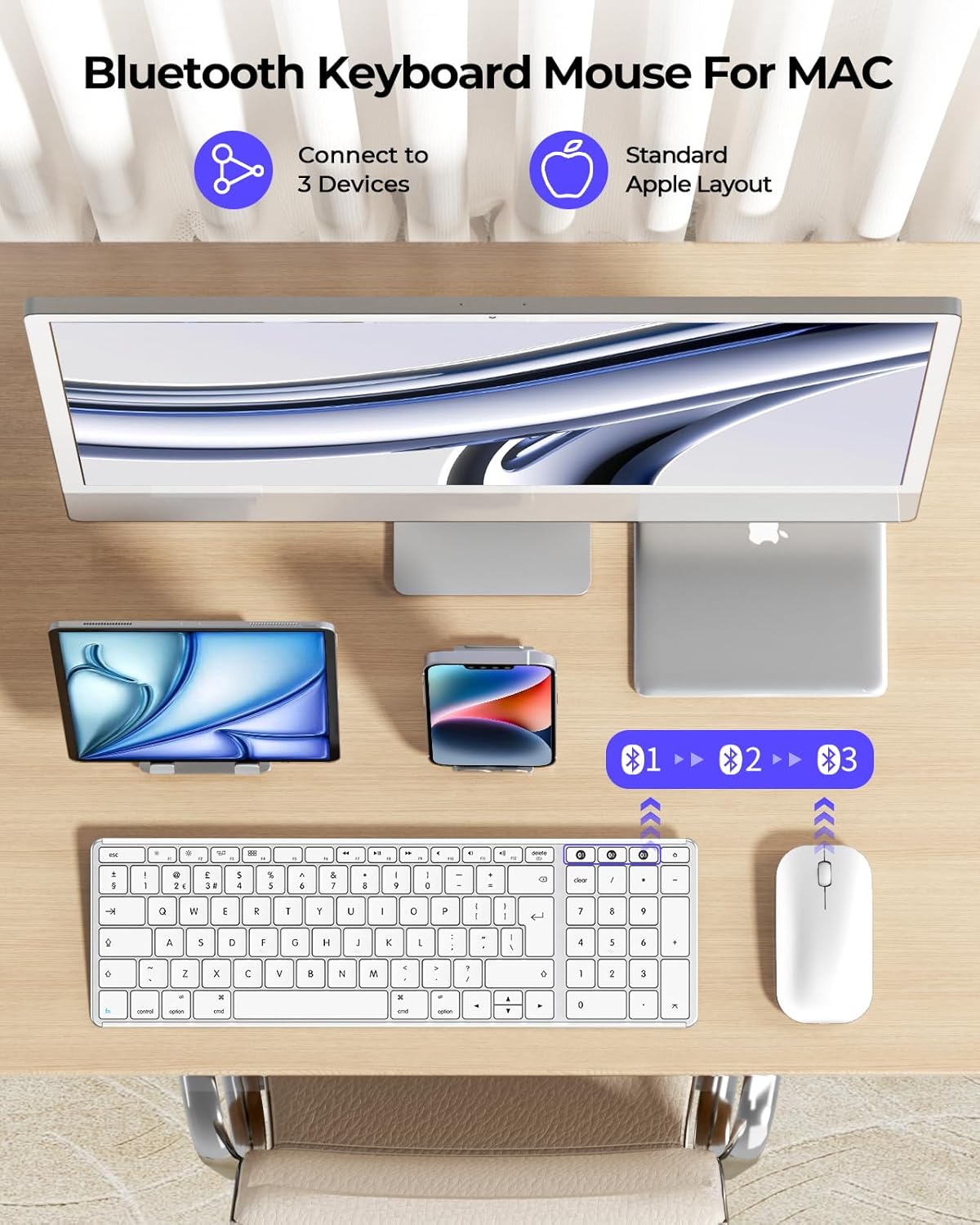
1. This is a wireless combo connected via BT1/BT2/BT3 channels (Without USB receiver), Bluetooth version 4.0 or above, and the connection distance is within 8 meters.
2. This combo is fully compatible with Mac OS 10.12 or above, iPad OS 13.0 or above, and iOS 13.0 or above. Some functions are not available for Windows devices.
3. We recommended that this compact keyboard and mouse is suitable for small or medium hand size.
4. Please don’t hesitate to seek help by your order if anything happens.



1 For Mac / iMac 2 For iPad 3 Flat mouse 4 Climate Friendly
Troubleshooting Tips:
QA1: How to deal with disconnection issues, keys repeating or typing delay?
1. Please ensure that the keyboard/mouse is fully charged. A low battery can affect the performance of the keyboard/mouse; 2. Delete the Bluetooth name from your device’s Bluetooth connection list, and restart your device and re-pair the keyboard/mouse by following the steps in the user manual; 3. lf the issues persist, try to connect the keyboard/mouse to other devices to check if the same issues occur and don’t hesitate to seek further assistance through your order.
QA2: How to deal with keyboard/mouse won’t turn on or stops working?
1. The rated charging voltage for the keyboard and mouse is 5V. It is recommended to use the computer’s USB port for charging; 2. Try to change another Type-C cable to confirm whether it is a cable issue or a fault with the keyboard and mouse; 3. If the power indicator of the keyboard/mouse does not light up at all, please do not hesitate to seek further assistance through your order.
QA3: How do I confirm that the keyboard/mouse is at low battery?
The white light of the channel button USB/BT1/BT2 in use will flash when the power is too low, until it is turned off. And problems such as response delaying, keys sticking and cursor drifting may occur when in low battery.
QA4: How do I switch the shortcut keys to multimedia or F1-F12 functions?
This keyboard is in multimedia functions by default. The F1-F12 functions need to be activated by pressing Fn + F1-F12 keys. Or you can activate the Fn lock(Press Fn + Fn Lock/Search key) to use the F1-F12 functions directly.
SEENDA Sleek Keyboard and Mouse Combo – More Options for you!
Add To Basket
Add To Basket
Add To Basket
Add To Basket
Customer Reviews
4.5 out of 5 stars 70
4.4 out of 5 stars 482
4.2 out of 5 stars 10,050
4.4 out of 5 stars 4,563
Price
£38.59£38.59
£39.19£39.19
£29.69£29.69
£26.99£26.99
Connection Ways
3 * Bluetooth
2.4G + Dual Bluetooth
2.4G USB Wireless
2.4G USB Wireless
Compatible Devices
Mac OS/iOS
Windows/Mac OS/iOS/Android
Windows
Windows
Battery Type
Rechargeable
Rechargeable
Rechargeable
Rechargeable
Keyboard Layout
Apple Layout
Windows & Apple Layout
Windows Layout
Windows Layout
Optional Colours
Black/White
Black/White/Blue
Black/White/Rose Red
Black/White
Batteries : 2 12V batteries required. (included)
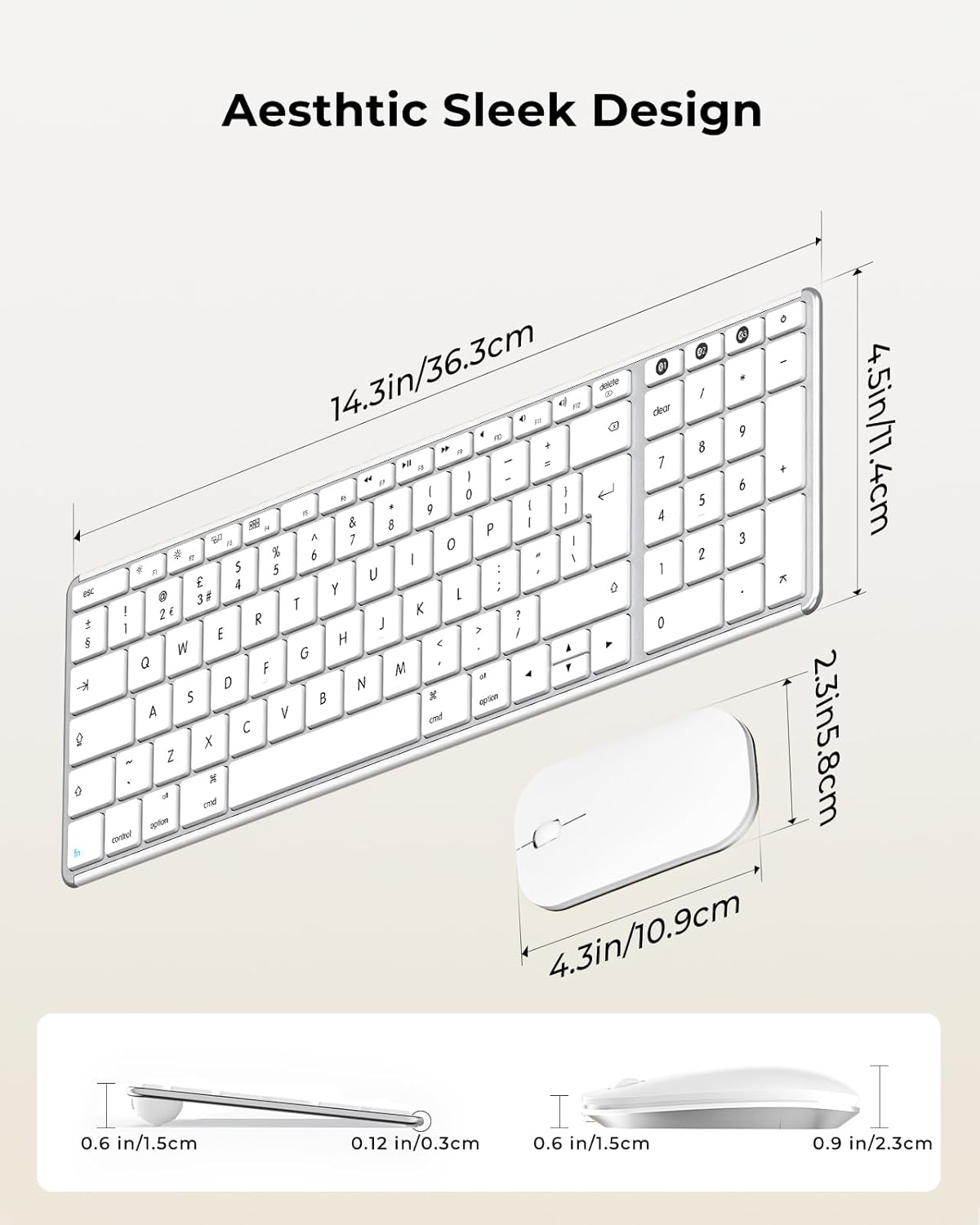
Package Dimensions : 39.2 x 14.2 x 4.9 cm; 740 g
Date First Available : 22 May 2025
Manufacturer : seenda
ASIN : B0F9LC424X
Item model number : SKM64-2
Country of origin : China
Guaranteed software updates until : unknown
Delivery information:: We cannot deliver certain products outside mainland UK ( Details). We will only be able to confirm if this product can be delivered to your chosen address when you enter your delivery address at checkout.
Best Sellers Rank: 5,797 in Computers & Accessories (See Top 100 in Computers & Accessories) 85 in Computer Keyboard & Mouse Combos
Customer reviews: 4.5 4.5 out of 5 stars (70) var dpAcrHasRegisteredArcLinkClickAction; P.when(‘A’, ‘ready’).execute(function(A) { if (dpAcrHasRegisteredArcLinkClickAction !== true) { dpAcrHasRegisteredArcLinkClickAction = true; A.declarative( ‘acrLink-click-metrics’, ‘click’, { “allowLinkDefault”: true }, function (event) { if (window.ue) { ue.count(“acrLinkClickCount”, (ue.count(“acrLinkClickCount”) || 0) + 1); } } ); } }); P.when(‘A’, ‘cf’).execute(function(A) { A.declarative(‘acrStarsLink-click-metrics’, ‘click’, { “allowLinkDefault” : true }, function(event){ if(window.ue) { ue.count(“acrStarsLinkWithPopoverClickCount”, (ue.count(“acrStarsLinkWithPopoverClickCount”) || 0) + 1); } }); });
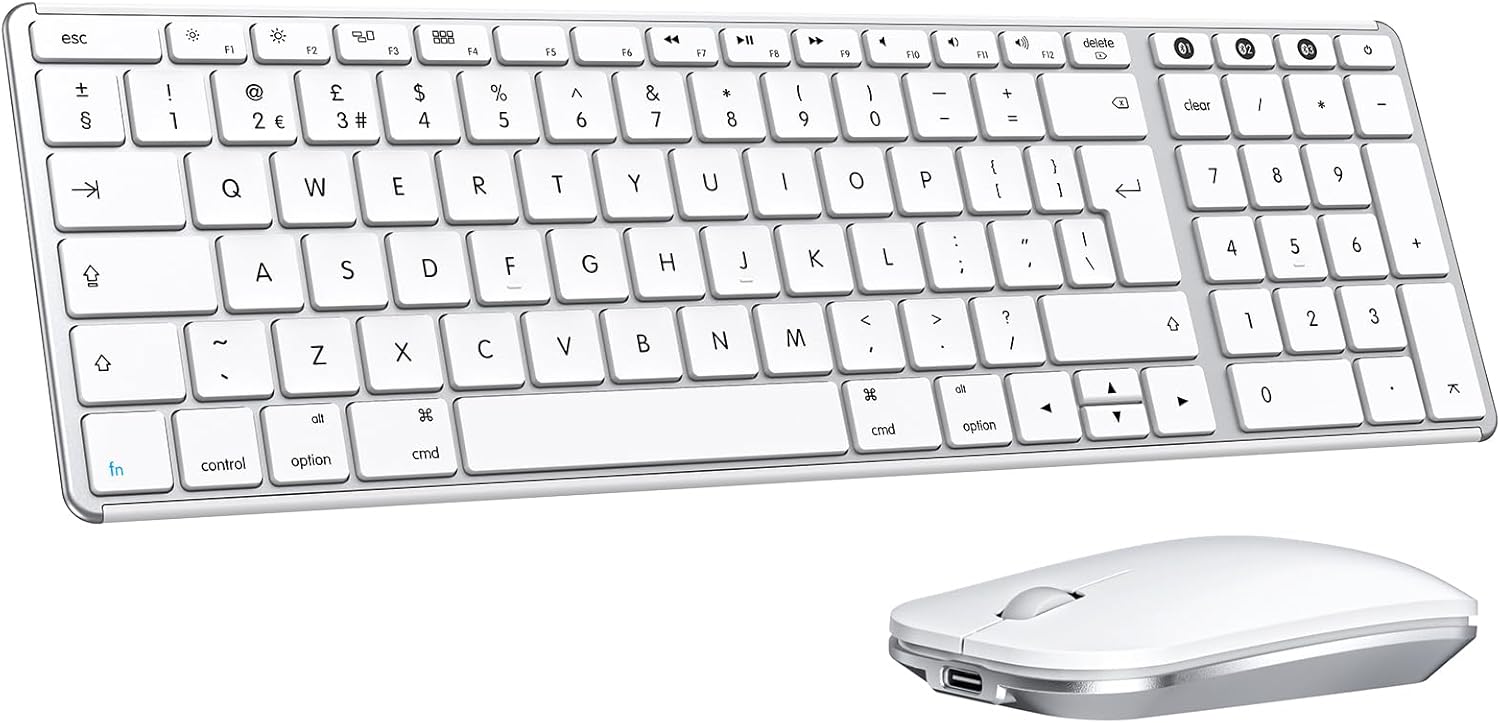
Perfect for Apple Users: The Bluetooth keyboard and mouse is designed for Mac users with a standard apple layout. With advanced BT1/BT2/BT3 modes, this combo allows you to easily type across three devices, perfect for your Apple devices like iMac, MacBook Pro/Air, iPad
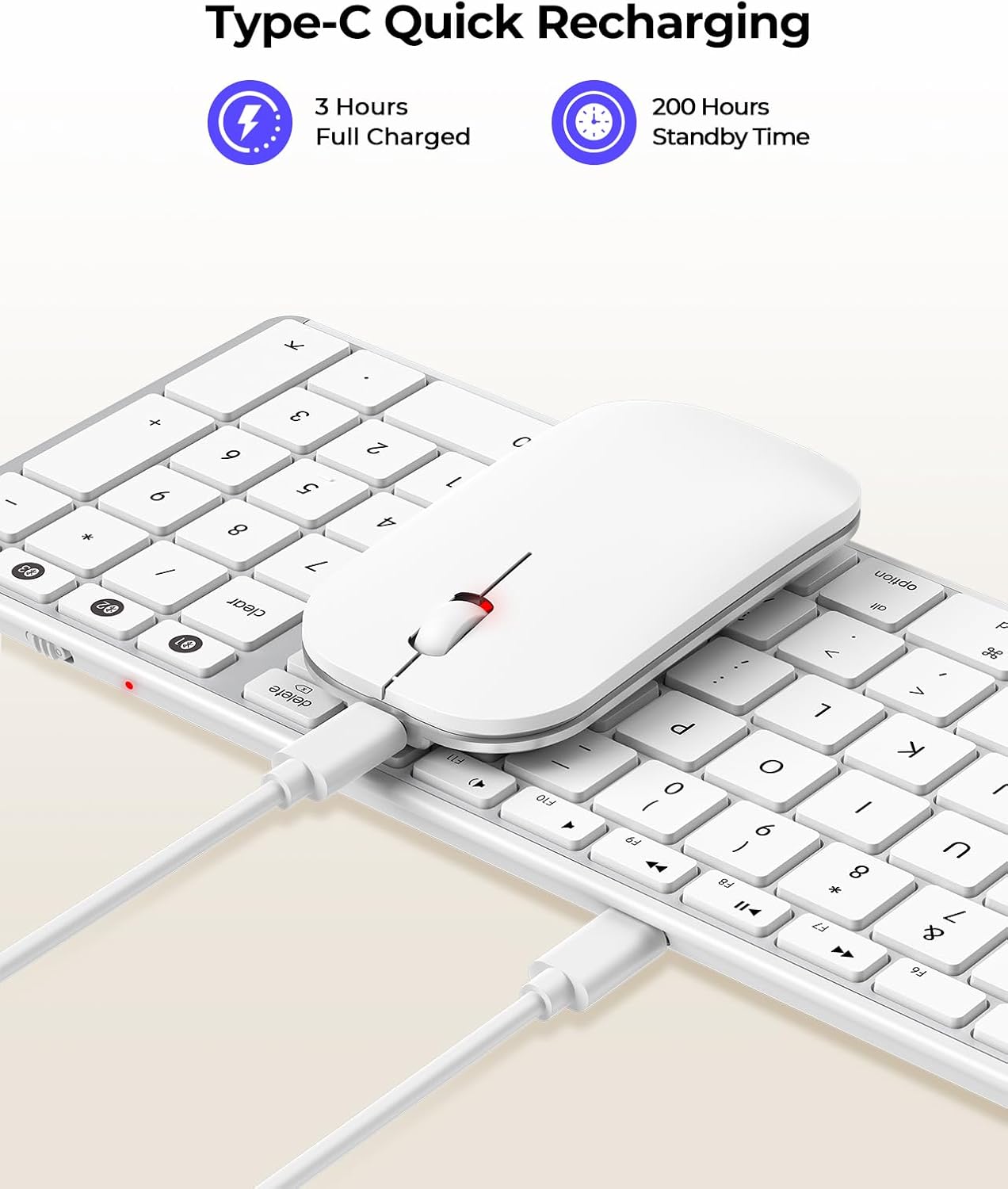
Type-C Rechargeable Battery: Say goodbye to constantly changing batteries! Our combo features Type-C rechargeability, it provides an standby time of up to 200 hours. Auto-sleep mode and on/off design also keep a low consumption
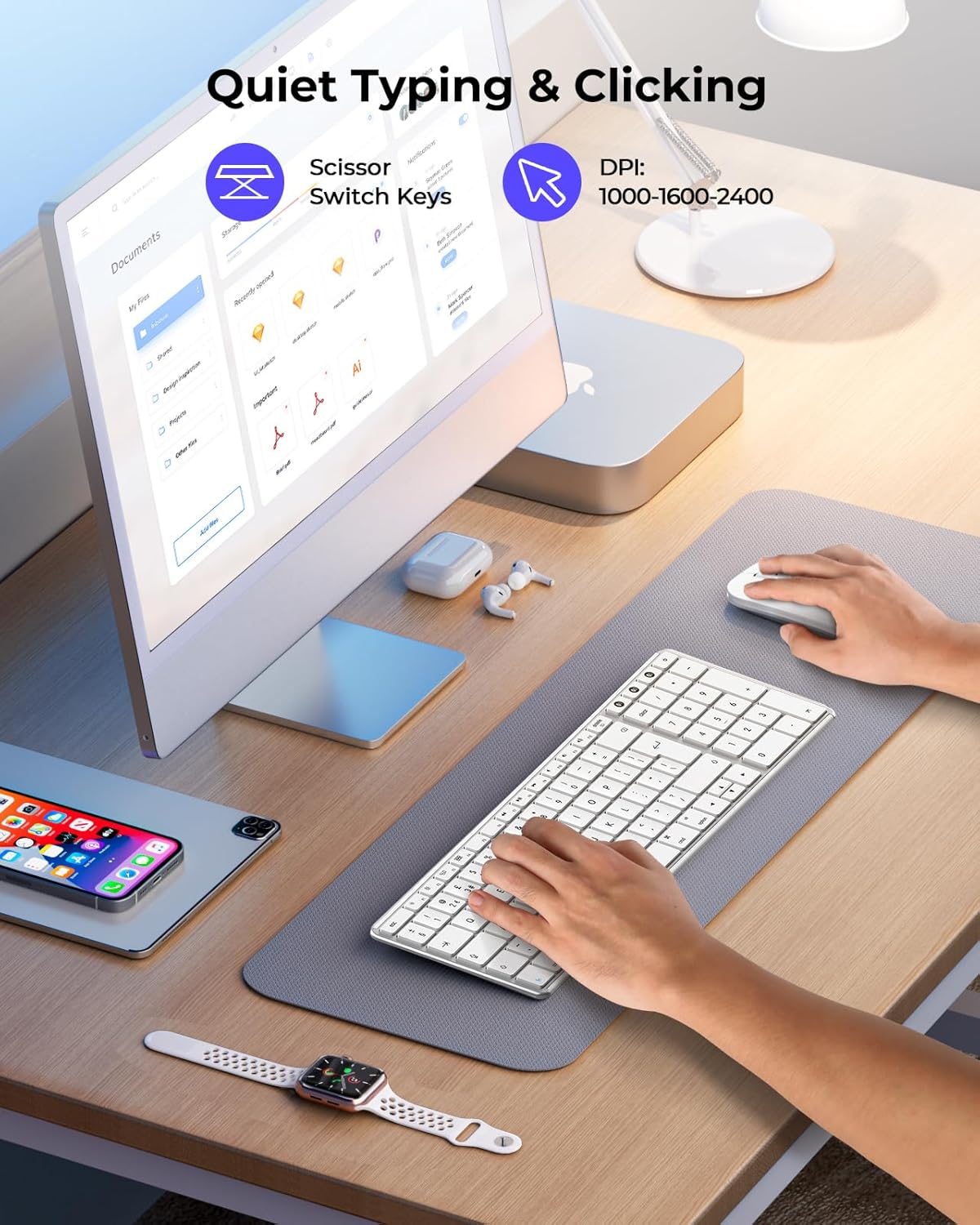
Whispered-Quiet Typing and Clicking: With increased key stability to reduce noise and optimize responsiveness, the wireless keyboard and mouse give you that satisfying “click” feel, but not to hear it, perfect for those who are productivity-focused
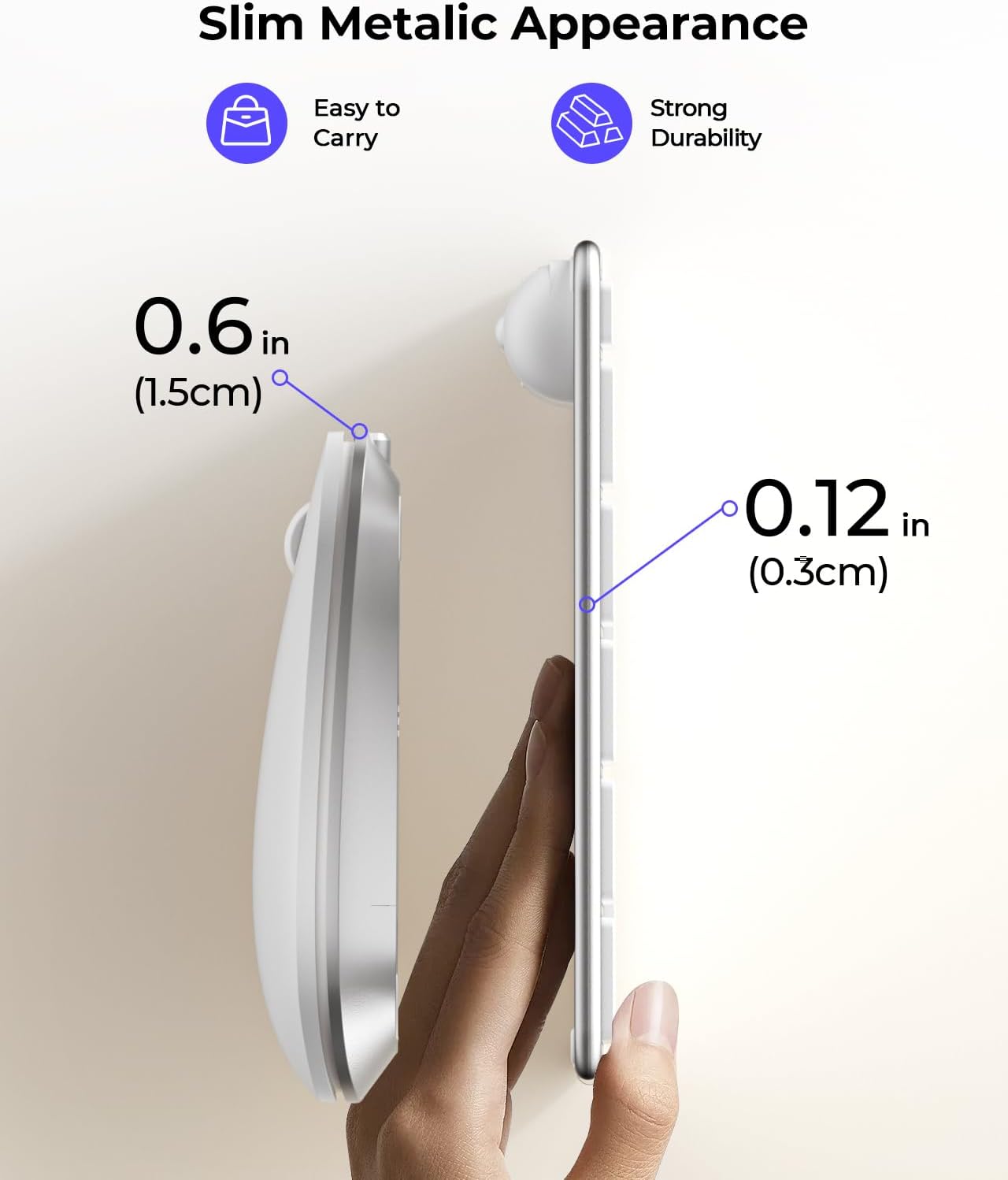
Slim Metalic Appearance: Ultra-thin design with only 0.12 in for keyboard and 0.9 in for mouse, which is easy to slip into your bag. The combo are made from stainless steel and premium ABS materials, making them a beautiful decoration on your desktop
Wide Compatibility: Compatible with Mac OS 10.12 or above, iPad OS 13.0 or above, and iOS 13.0 or above. You are welcome to contact us if you have any issues with the Bluetooth keyboard and mouse set.






Reviews
There are no reviews yet.