
HOT

Welcome to Saturday Offer Day

AODELAN Camera Remote Control for Canon EOS RP, EOS R, R5, R…

£3,706.78

Categorie

Product Description

Wireless Remote Control BR-E1AWireless Remote Control BR-E1A Wireless Bluetooth Camera Shutter Remote Control for Canon

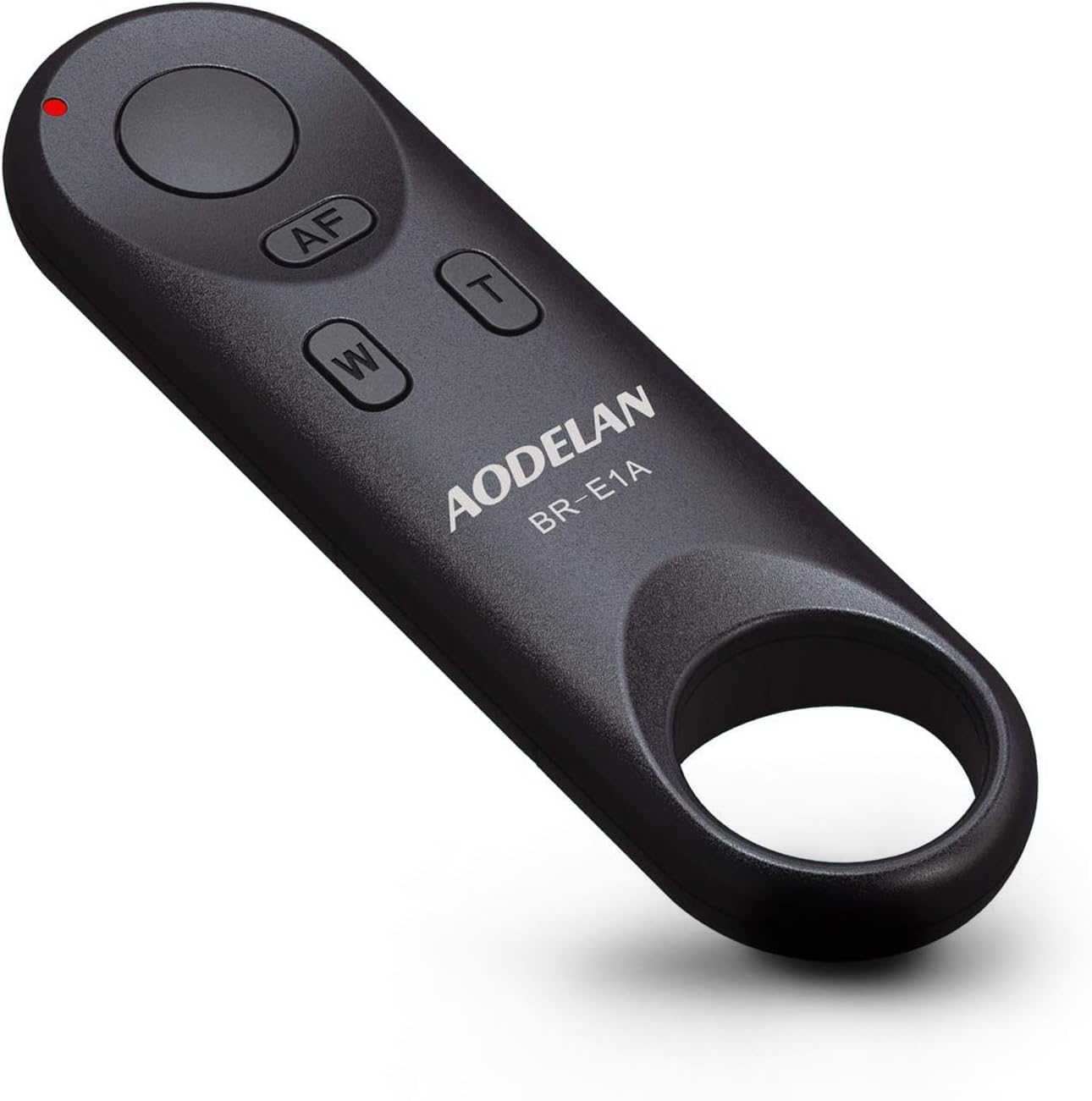
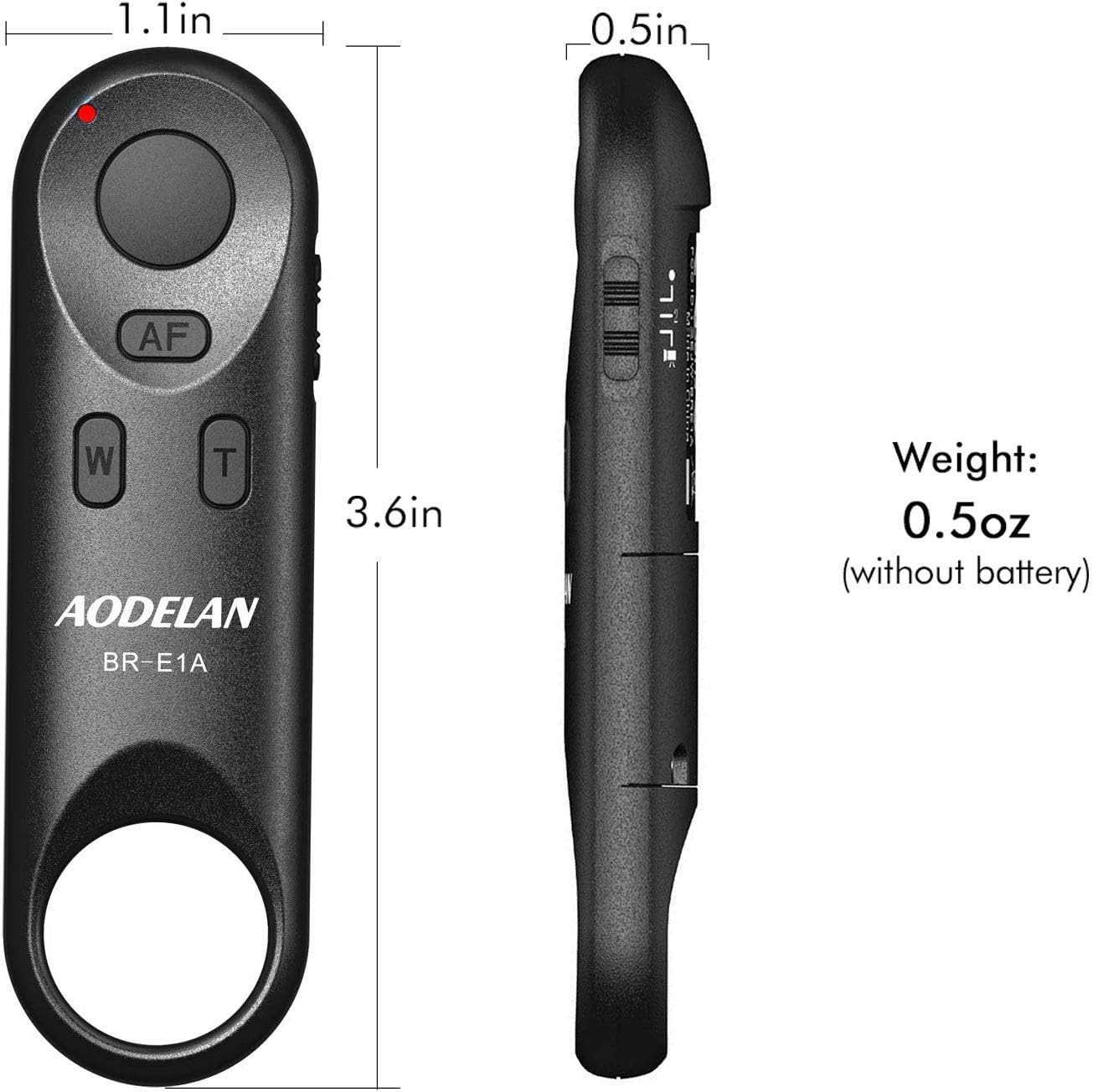
AODELAN Wireless Remote Control BR-E1A can be used to operate Canon digital camera wirelessly, including shooting still photos and videos, focusing with AF and zooming (the feature of zooming only works when using with the Canon PZ-E1 Power Zoom Adapter).

Record the Beautiful Moment! Wireless Remote Control Bluetooth for CanonWireless Remote Control Bluetooth for Canon

AODELAN Camera Wireless Bluetooth Remote Control for Canon

The video showcases the product in use.The video guides you through product setup.The video compares multiple products.The video shows the product being unpacked.

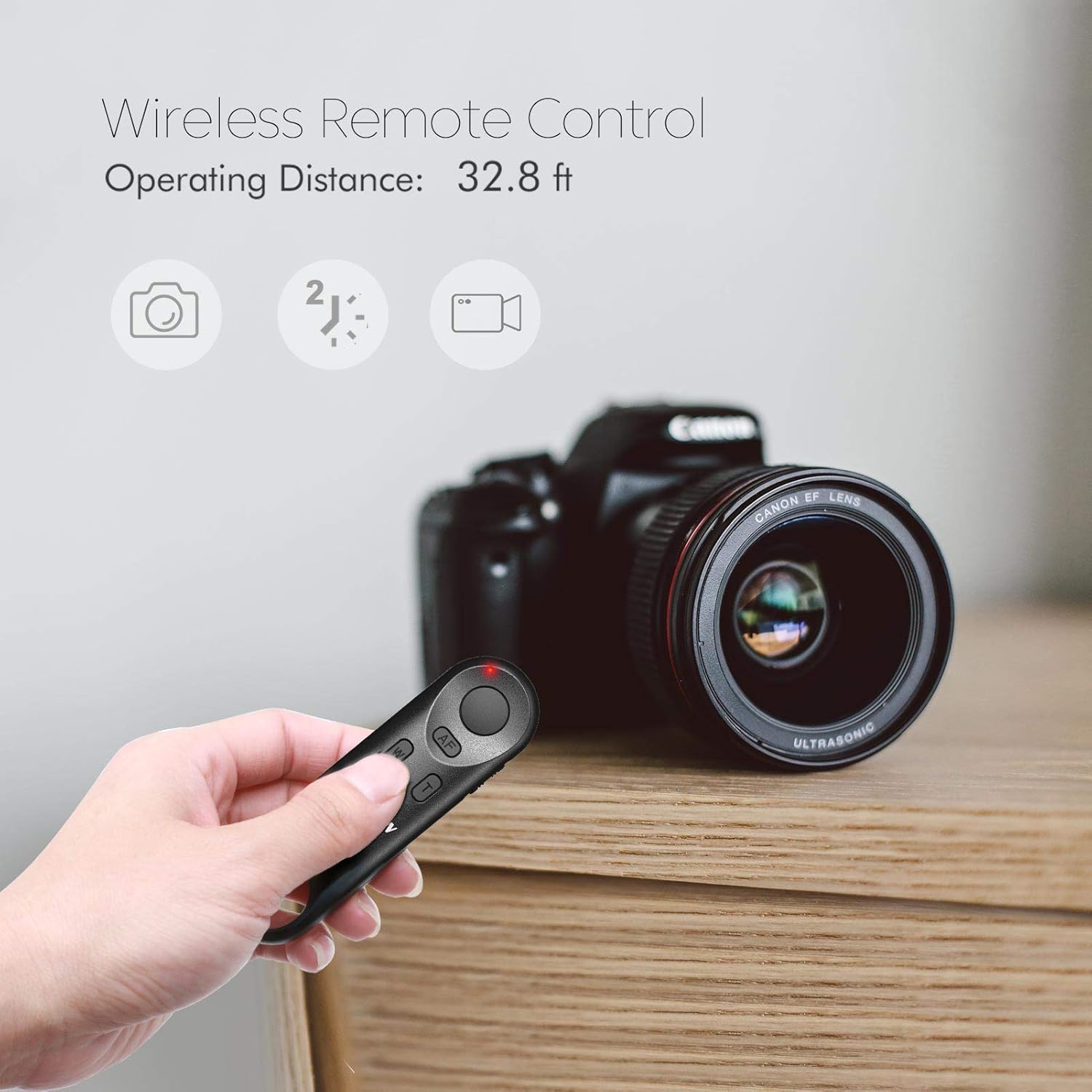
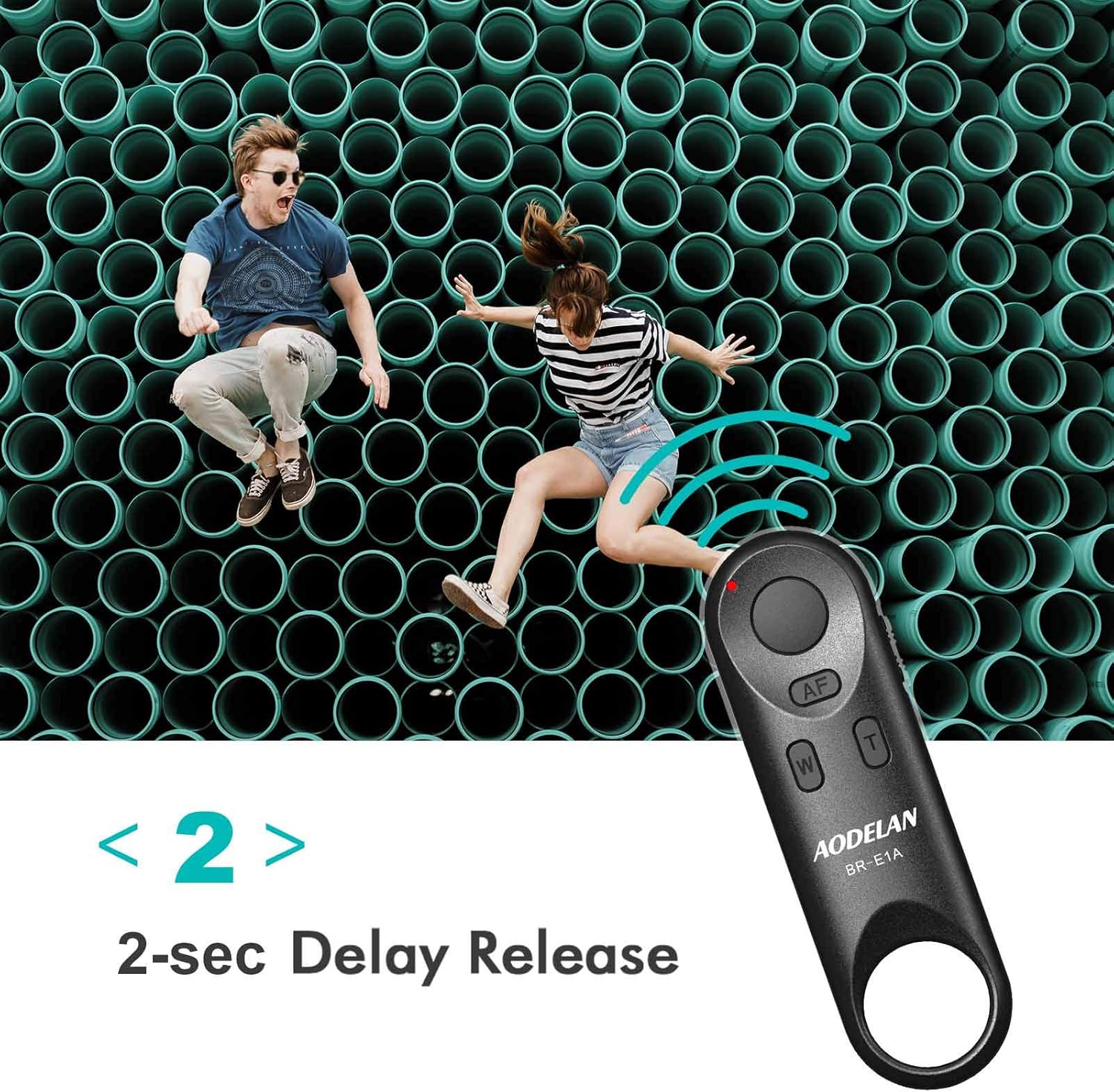
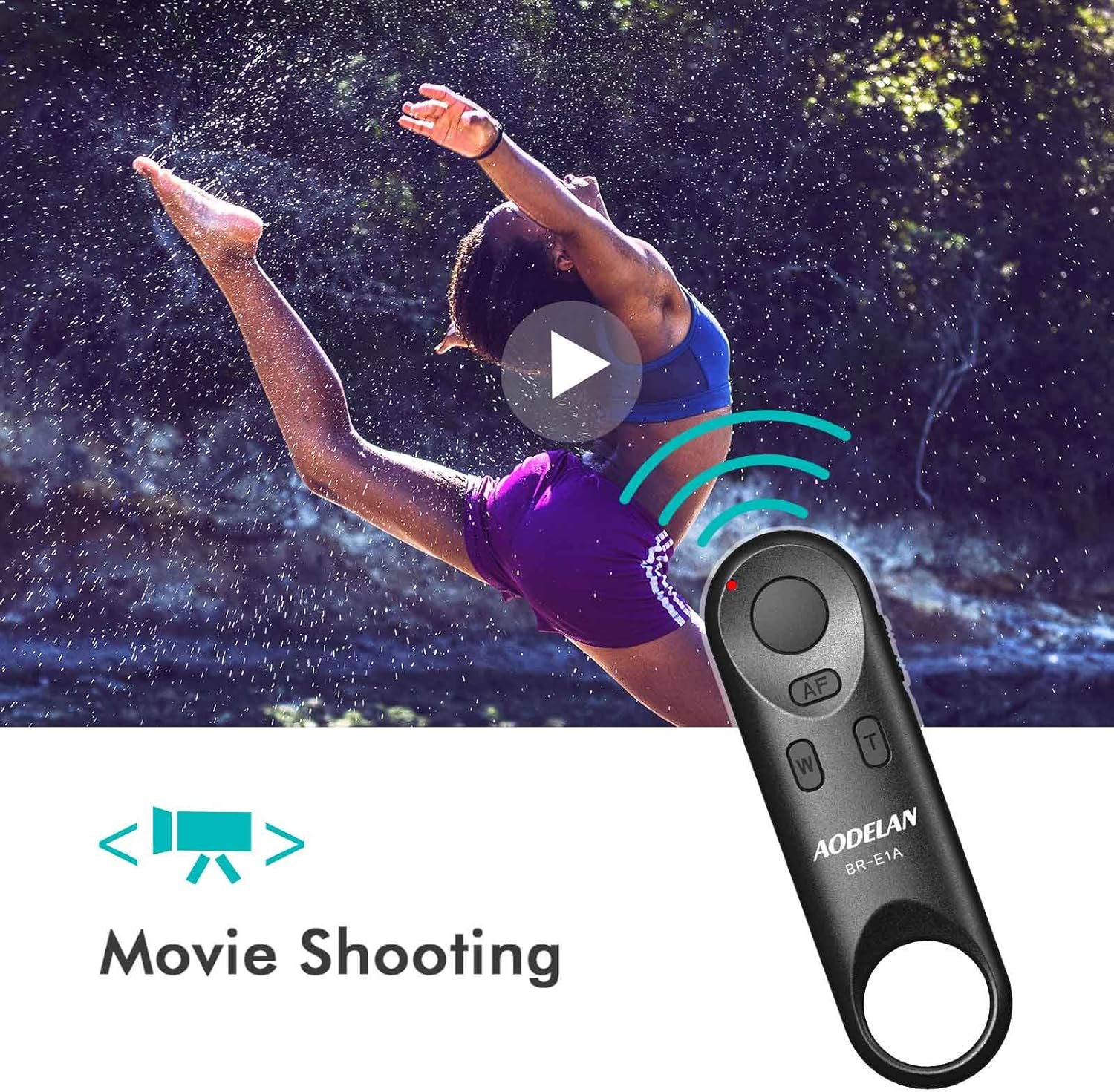
Funtion – Wireless Remote Control, Shutter Release, Video Recording, 2 Seconds Delay & Zoom Function

Parts Display Wireless Remote Control Bluetooth for CanonWireless Remote Control Bluetooth for Canon Wireless Remote Control Bluetooth for CanonWireless Remote Control Bluetooth for Canon

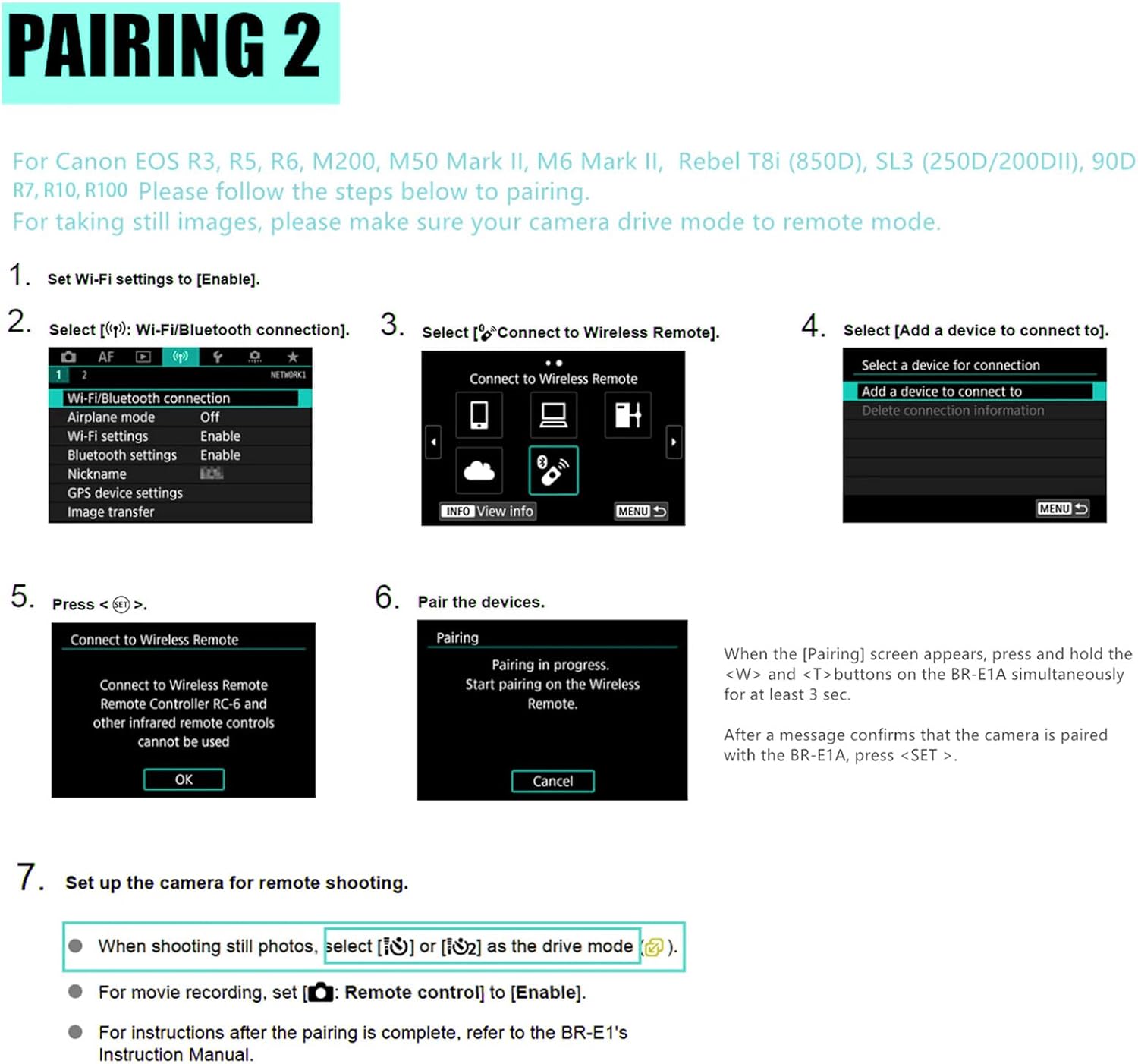
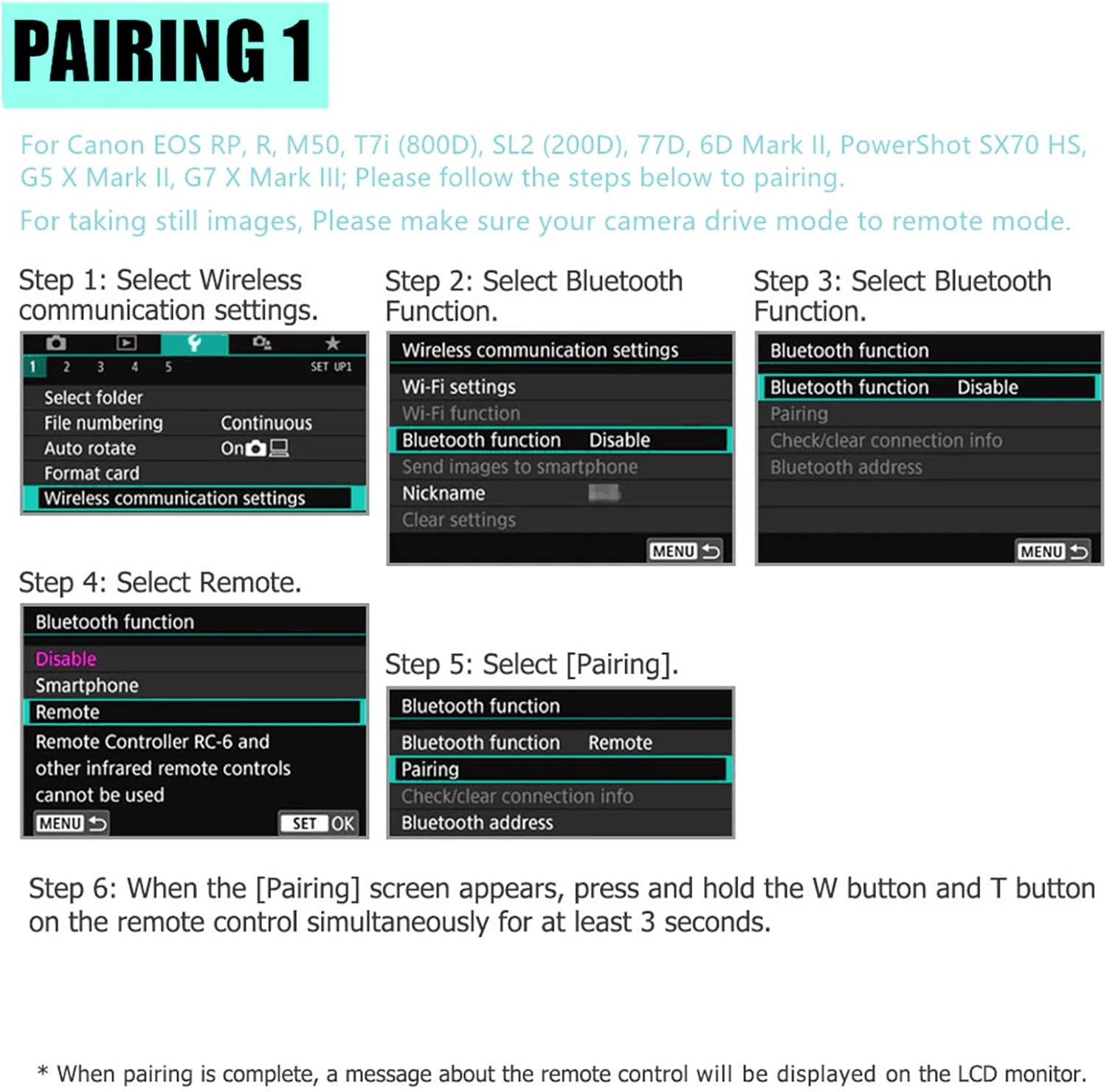
How to Connect the Remote Control to the Camera?

Pairing:

Select ” Wireless communication settings”- select ” Bluetooth function”- select ” Remote control”- select “Pairing”.In this step, press and hold the W and T buttons on the remote control simultaneously for at least 3 seconds. The indicator flashes during the pairing process and flashes again when pairing is complete.

The video showcases the product in use.The video guides you through product setup.The video compares multiple products.The video shows the product being unpacked.

After Pairing

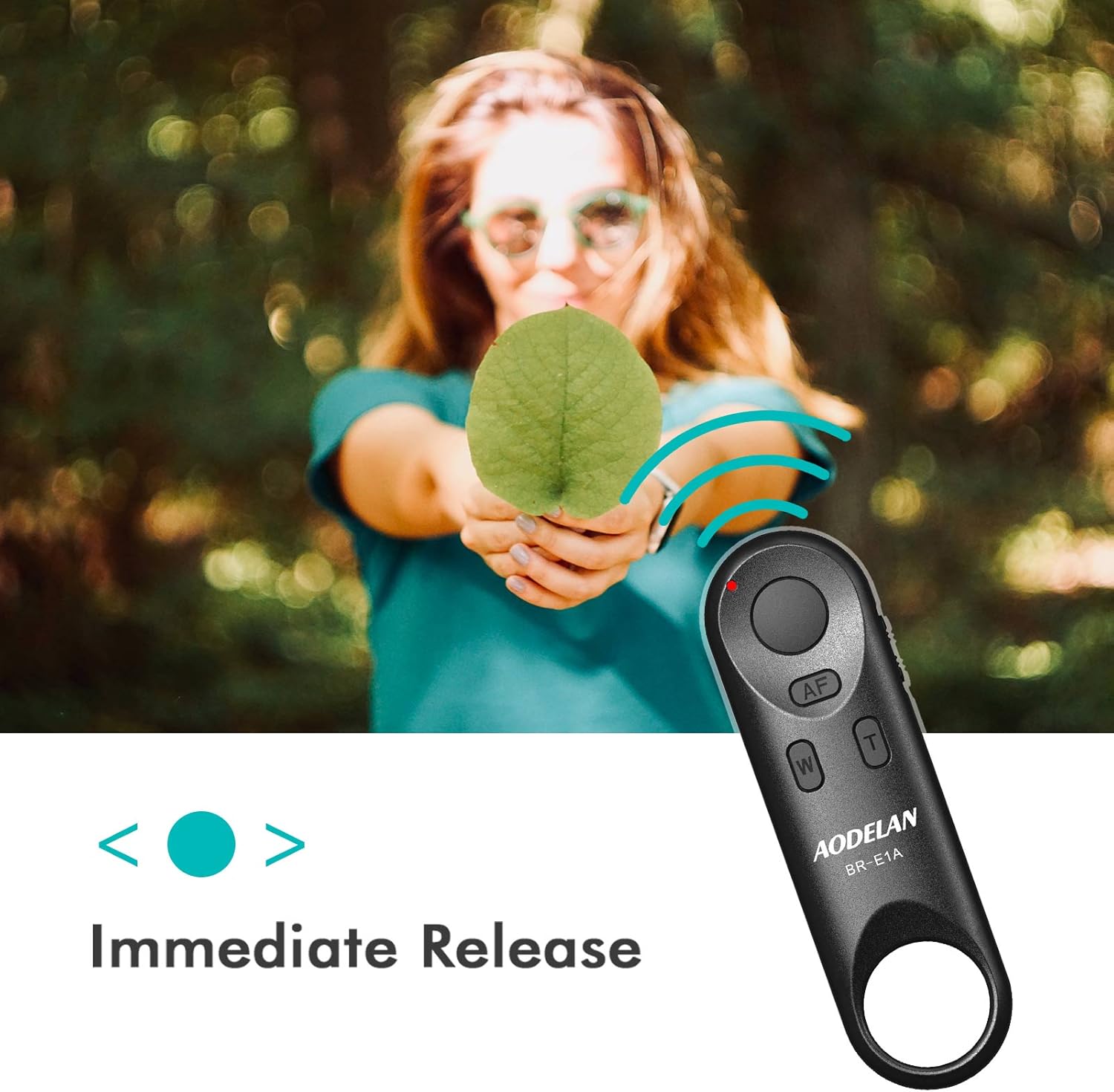
Set the camera’s operating mode to (remote control).Set the shutter release time/film recording switch on the remote control to the <-> (instant release) or <2> (2-second delay release) position.

Will this remote control work with my Canon Camera?

This remote control is compatible with Canon EOS R, ROS RP, R3, R5, R6, 6D Mark II, 77D, 850D, 800D, 200D, M50, EOS M6 Mark II, 90D, PowerShot G7 X Mark III, PowerShot G5 X Mark II, SX70 HS

What can I do if I have connected the remote control but cannot operate it?

If the remote control is connected to the camera but the camera cannot be operated, please check that the camera’s 10-second mode is switched on. Some cameras require 10-second mode to use the remote control (e.g. Canon EOS R).

What should I do if the camera has been paired with another remote control before?

First delete the remote control’s connection information if you have previously paired another remote control. Select “Wireless Communication Settings, then Select “Bluetooth Function”, Select “Check/Delete Connection Info”.

Compatible with canon PowerShot V10, R8, R6 II, R100, R50, R10, Rebel EOS 850D(T8i), SL3 (ROS 250D), R3, R5, R6, EOR RP, EOS R, 6D Mark II, 77D, 800D(EOS Rebel T7i), 200D(EOS Rebel SL2), M50 II, M50, M200, PowerShot SX70 HS, EOS M6 Mark II, 90D, PowerShot G7 X Mark III, PowerShot G5 X Mark II.If it can not paired with your camera,pls read the details or send us directly
Function: This wireless shutter remote supports auto-focus, single shooting, continuous shooting, 2-sec. delay, Bulb(long exposure), start/stop video recording, zoom in/out. (Zoom function only works when using EF-S 18-135mm f/3.5-5.6 IS USM lens with the Canon PZ-E1Power Zoom Adapter)
Easy To Use:For picture Please notice that when you pair it pls Make sure SET YOUR CAMERAS TO DRIVE MODE .For video shooting: Set the camera for movie shooting and set [Remote control] to [Enable] from the menu screen of the camera.
32 Feet Operating Range:The camera remote shutter oprating range up to 32 feet , and you can trigger your camera out of line of sight with a compact wireless shutter remote,The wireless shutter remote as well as a good aider for selfies, group photos, wild animals, macro photography, star trails, landscape photography
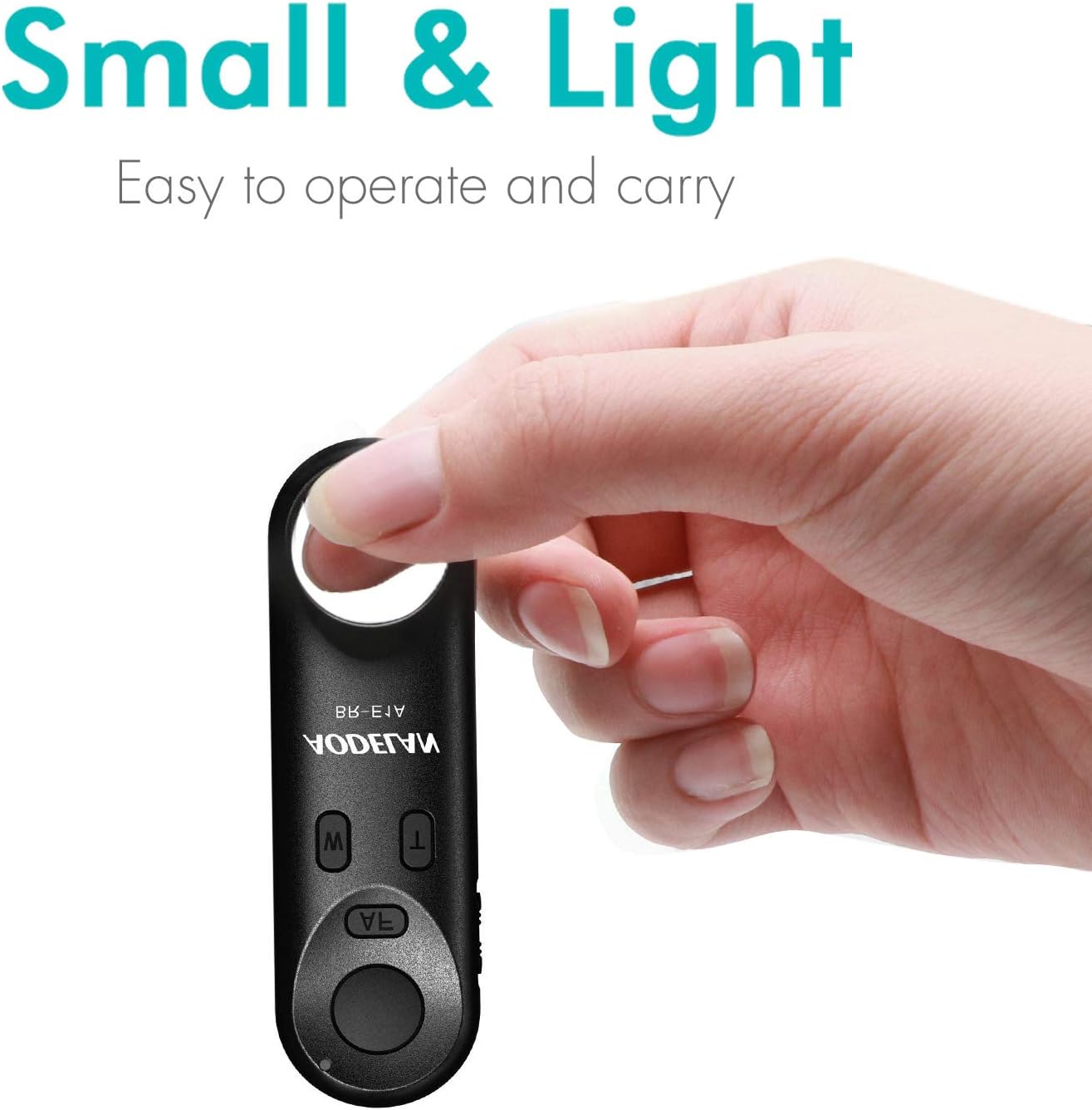
Easy to carry:The wireless remote control is small size,you can hidden it in your hand;Come with Lanyard sling you can hang it around your camera , would not be easy to lose.

Description

Price: INR3,706.78
(as of Jun 05, 2026 10:55:32 UTC – Details)

Product Description

Wireless Remote Control BR-E1AWireless Remote Control BR-E1A Wireless Bluetooth Camera Shutter Remote Control for Canon

AODELAN Wireless Remote Control BR-E1A can be used to operate Canon digital camera wirelessly, including shooting still photos and videos, focusing with AF and zooming (the feature of zooming only works when using with the Canon PZ-E1 Power Zoom Adapter).

Record the Beautiful Moment! Wireless Remote Control Bluetooth for CanonWireless Remote Control Bluetooth for Canon

AODELAN Camera Wireless Bluetooth Remote Control for Canon

The video showcases the product in use.The video guides you through product setup.The video compares multiple products.The video shows the product being unpacked.

Funtion – Wireless Remote Control, Shutter Release, Video Recording, 2 Seconds Delay & Zoom Function

Parts Display Wireless Remote Control Bluetooth for CanonWireless Remote Control Bluetooth for Canon Wireless Remote Control Bluetooth for CanonWireless Remote Control Bluetooth for Canon

How to Connect the Remote Control to the Camera?

Pairing:

Select ” Wireless communication settings”- select ” Bluetooth function”- select ” Remote control”- select “Pairing”.In this step, press and hold the W and T buttons on the remote control simultaneously for at least 3 seconds. The indicator flashes during the pairing process and flashes again when pairing is complete.

The video showcases the product in use.The video guides you through product setup.The video compares multiple products.The video shows the product being unpacked.

After Pairing

Set the camera’s operating mode to (remote control).Set the shutter release time/film recording switch on the remote control to the <-> (instant release) or <2> (2-second delay release) position.

Will this remote control work with my Canon Camera?

This remote control is compatible with Canon EOS R, ROS RP, R3, R5, R6, 6D Mark II, 77D, 850D, 800D, 200D, M50, EOS M6 Mark II, 90D, PowerShot G7 X Mark III, PowerShot G5 X Mark II, SX70 HS

What can I do if I have connected the remote control but cannot operate it?

If the remote control is connected to the camera but the camera cannot be operated, please check that the camera’s 10-second mode is switched on. Some cameras require 10-second mode to use the remote control (e.g. Canon EOS R).

What should I do if the camera has been paired with another remote control before?

First delete the remote control’s connection information if you have previously paired another remote control. Select “Wireless Communication Settings, then Select “Bluetooth Function”, Select “Check/Delete Connection Info”.

Compatible with canon PowerShot V10, R8, R6 II, R100, R50, R10, Rebel EOS 850D(T8i), SL3 (ROS 250D), R3, R5, R6, EOR RP, EOS R, 6D Mark II, 77D, 800D(EOS Rebel T7i), 200D(EOS Rebel SL2), M50 II, M50, M200, PowerShot SX70 HS, EOS M6 Mark II, 90D, PowerShot G7 X Mark III, PowerShot G5 X Mark II.If it can not paired with your camera,pls read the details or send us directly
Function: This wireless shutter remote supports auto-focus, single shooting, continuous shooting, 2-sec. delay, Bulb(long exposure), start/stop video recording, zoom in/out. (Zoom function only works when using EF-S 18-135mm f/3.5-5.6 IS USM lens with the Canon PZ-E1Power Zoom Adapter)
Easy To Use:For picture Please notice that when you pair it pls Make sure SET YOUR CAMERAS TO DRIVE MODE .For video shooting: Set the camera for movie shooting and set [Remote control] to [Enable] from the menu screen of the camera.
32 Feet Operating Range:The camera remote shutter oprating range up to 32 feet , and you can trigger your camera out of line of sight with a compact wireless shutter remote,The wireless shutter remote as well as a good aider for selfies, group photos, wild animals, macro photography, star trails, landscape photography
Easy to carry:The wireless remote control is small size,you can hidden it in your hand;Come with Lanyard sling you can hang it around your camera , would not be easy to lose.


Reviews

There are no reviews yet.

Be the first to review “AODELAN Camera Remote Control for Canon EOS RP, EOS R, R5, R…”

Your email address will not be published. Required fields are marked *